QR menu
The menu your guests see when they scan the code on the table. It isn't a PDF: it's a page that reads properly one-handed, with no pinching to zoom.
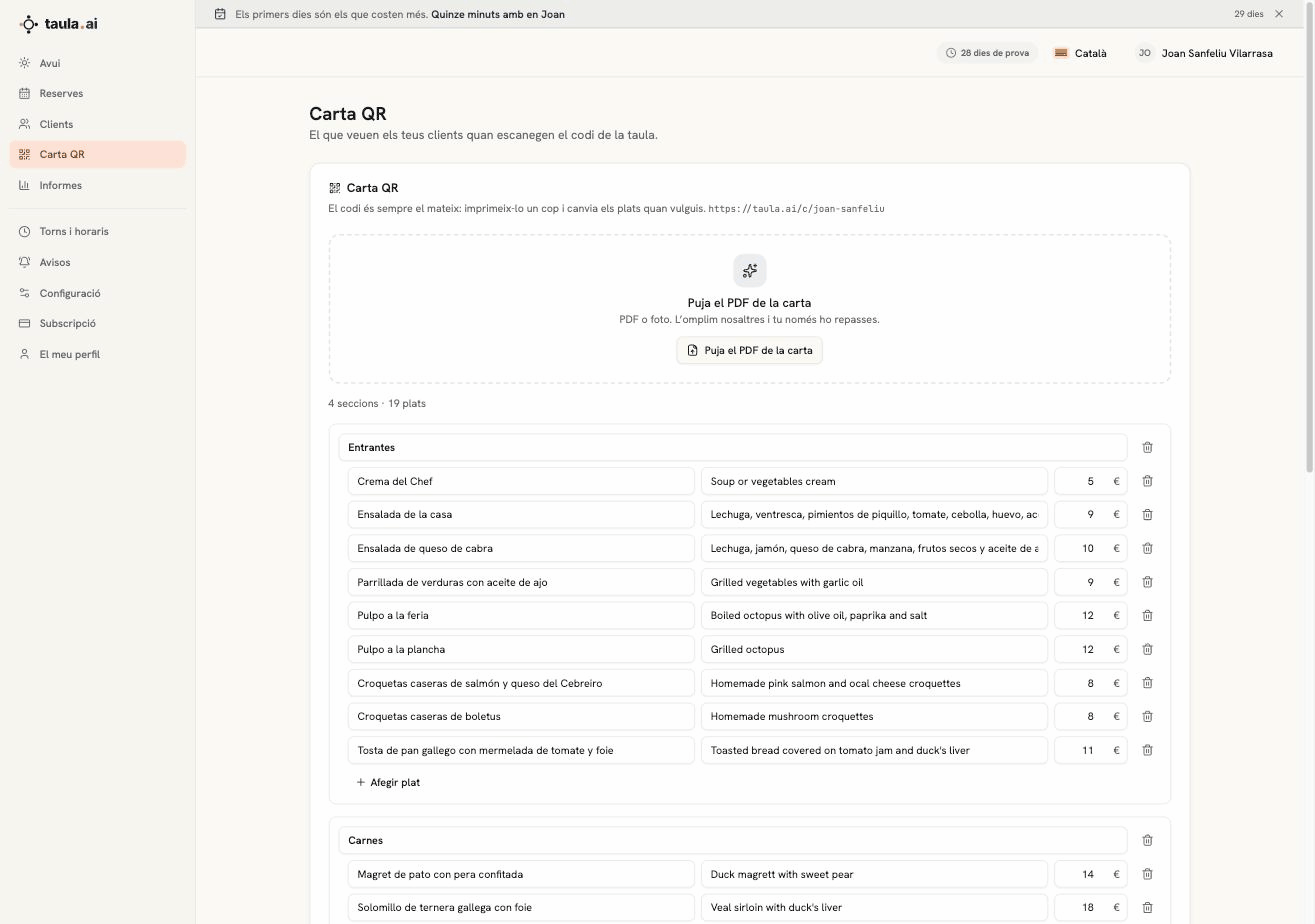
Upload the PDF and we fill it in
The step nobody wants to do is typing eighty dishes by hand. So:
- Press Upload the menu PDF and pick the PDF or a photo.
- We read it with AI and pull out sections, dishes, descriptions and prices.
- You check it and save.
It takes under a minute. It works with designed PDFs and with photos of the printed menu.
Prices are copied from the original exactly as they are. A language model can misread a dish name; on a price, that isn't acceptable.
Editing by hand
The editor has three columns: dish name, description and price. You can add and delete dishes and sections, and reorder them. When you save, the public menu changes instantly: you never reprint the QR again.
Multiple languages
You pick up to four languages and write the menu once: the translation is redone automatically every time you save.
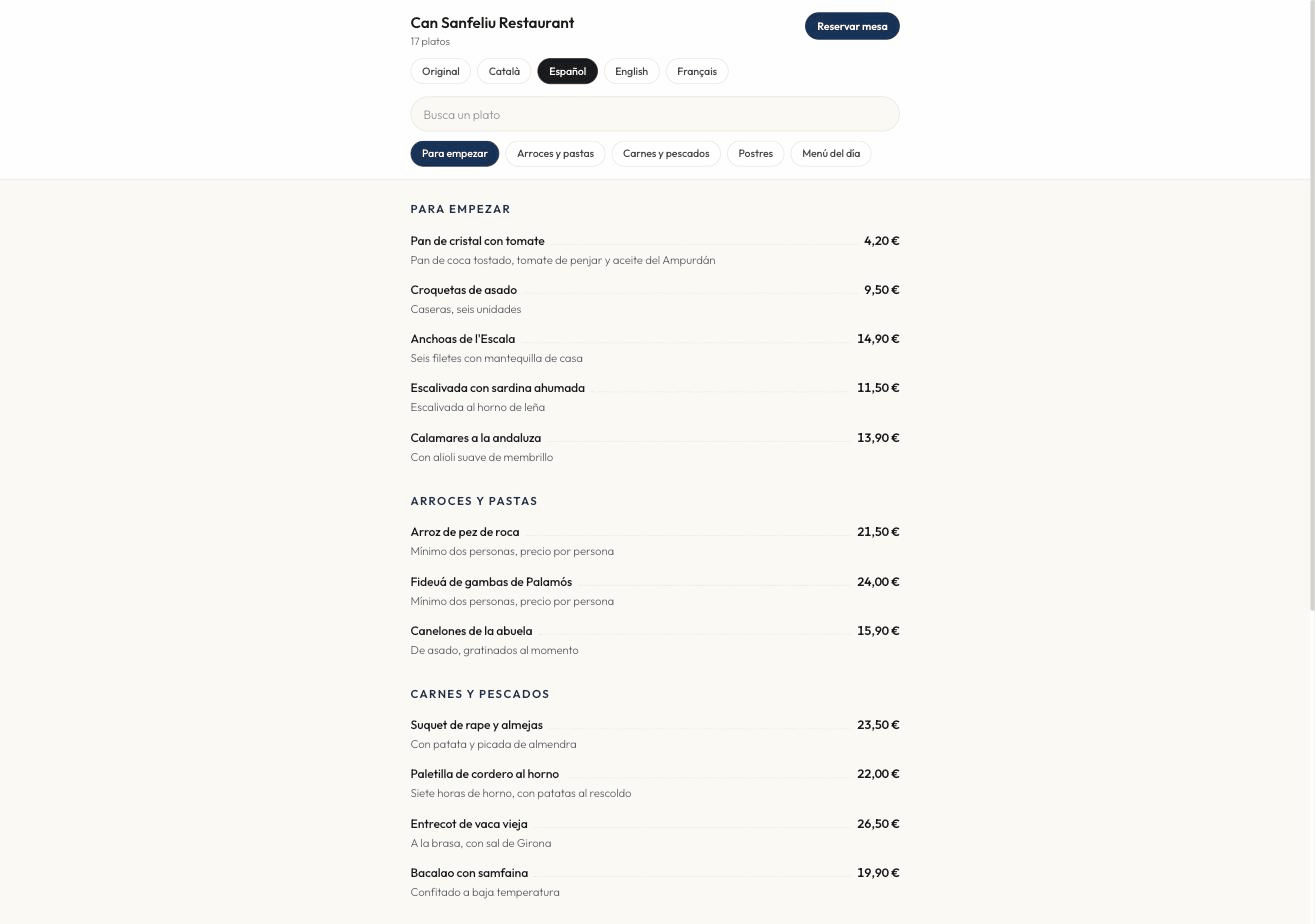
The guest sees language tabs and, on their first visit, we jump to their language automatically if we have it. They can also see the Original, which is exactly what you typed.
Dish names get translated; prices never do: they're copied back from the original by position. A "Pa amb tomàquet" may deliberately stay in Catalan on the French menu — some names don't translate.
The QR code
You download it from the same screen and it never changes. Print it once. The public address is:
https://taula.ai/c/your-restaurant
At the top of the menu there's a Book a table button that leads to your booking page. It's the cheapest way there is of turning somebody already sitting down into a booking for next week.