Bookings
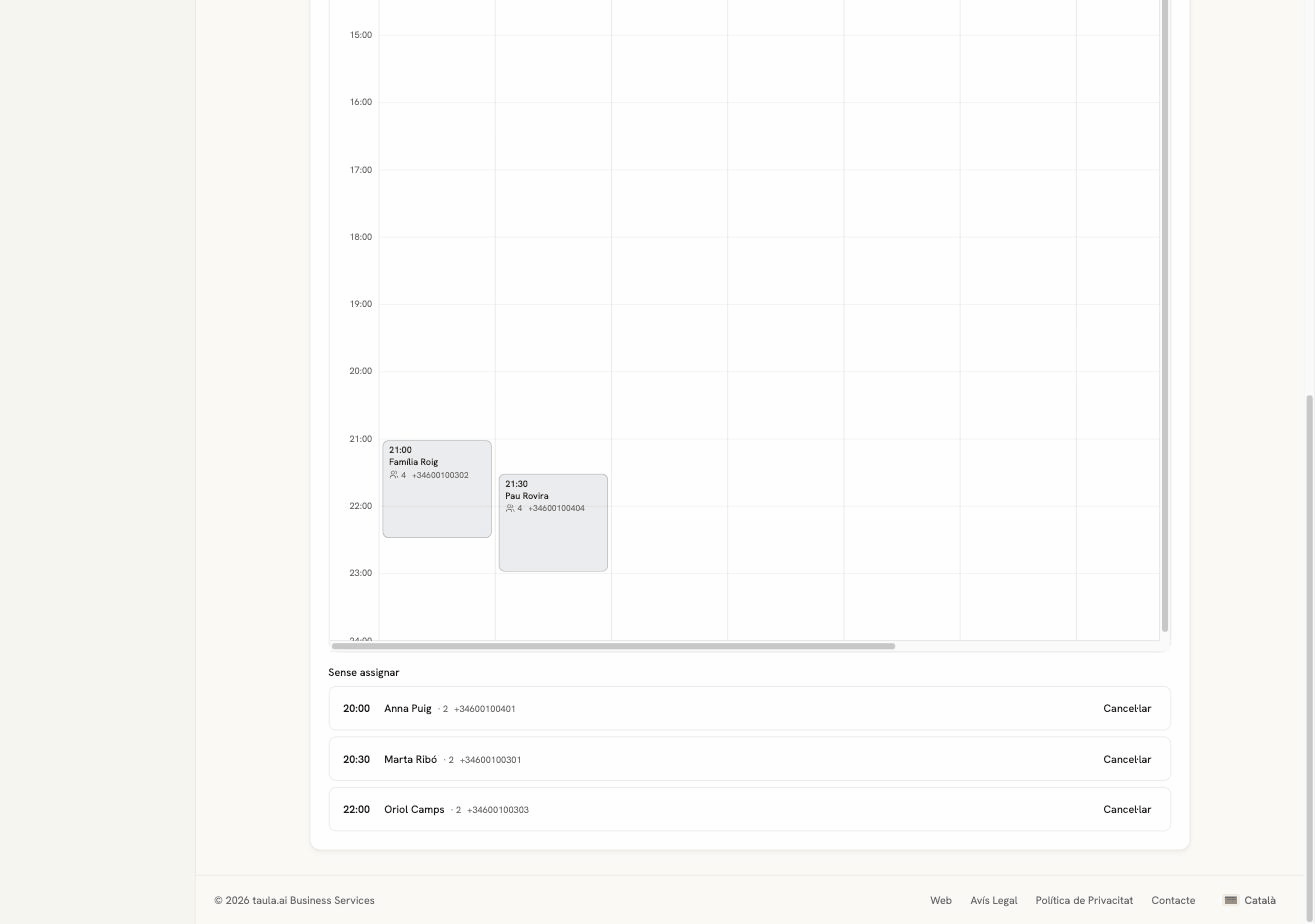
A whole day laid out table by table. Today is for running service; Bookings is for planning.
What it's for
- Seeing how the room looks on a given day
- Knowing whether you can still fit a party of eight on Saturday
- Moving between days with the arrows or the date picker
- Switching rooms with the tabs top right
Each block is a booking: time, name, party size and phone. The height of the block is how long the table is taken for.
"Unassigned"
Below the grid there's a list of unassigned bookings. These are the ones whose table is in another room than the one you're looking at, plus any that don't have a table yet. It isn't an error: switch rooms and you'll see them where they belong.
The grid opens at the current hour
If you serve at night and look at the grid in the morning, you'll need to scroll down. The left-hand column is the hours of the whole day.