Today
The screen that opens when you log in, and the one you'll leave open through service.
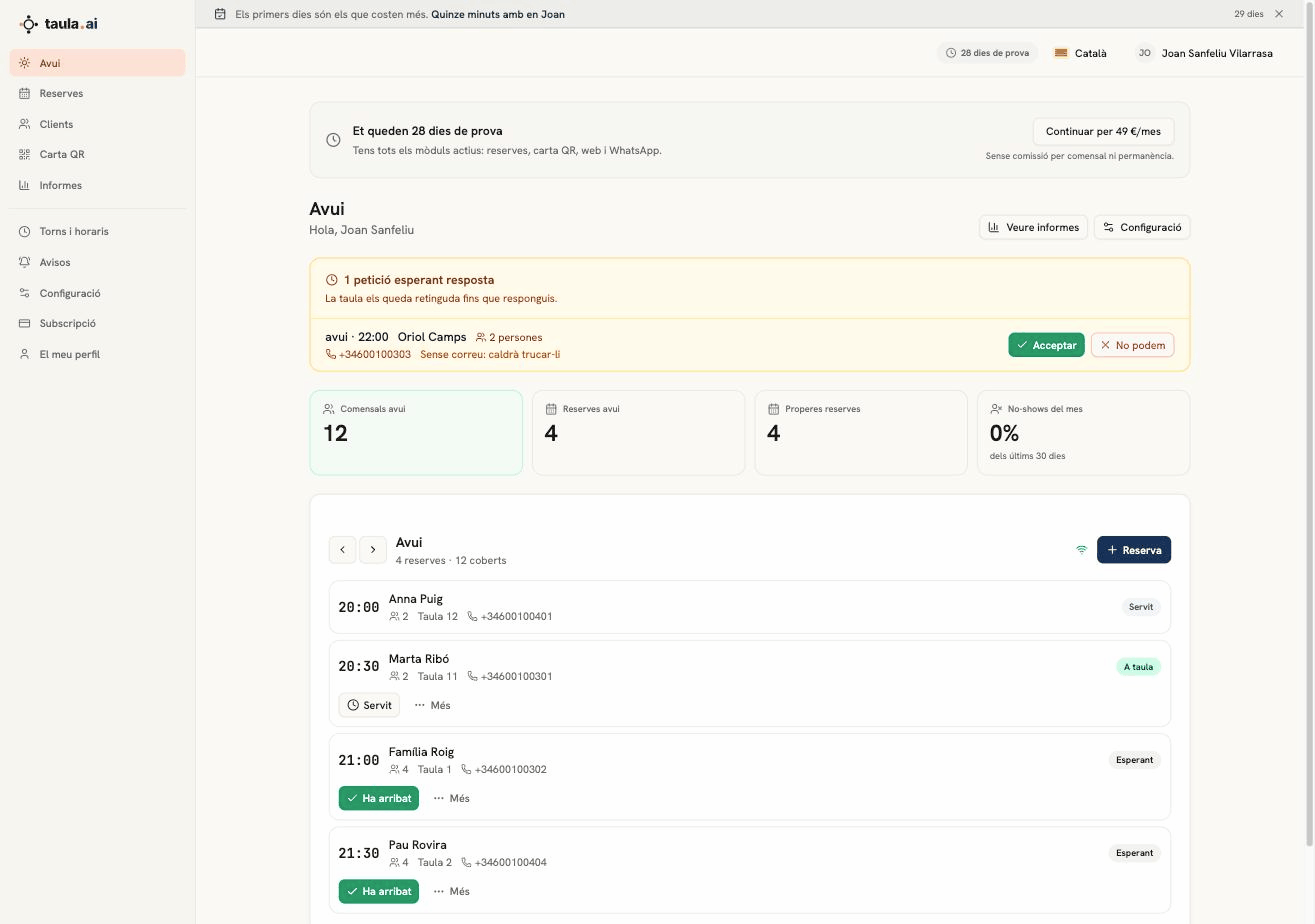
The four numbers
| Number | What it means |
|---|---|
| Covers today | People you're feeding today, across every booking |
| Bookings today | How many bookings, for the whole day |
| Upcoming bookings | Everything ahead of you, not just today |
| No-shows this month | Percentage over the last 30 days |
"Today" means the whole day, not from now on: at seven in the morning you already see dinner.
If the no-show percentage goes above 15% a warning appears, because past that point it's worth asking large parties for a deposit.
The service diary
Below is the live service, in time order. Each booking shows the time, the name, how many people, the table and the phone number.
The buttons follow the order things happen in:
- Arrived — marks them as seated; the status becomes Seated
- Served — when they're done
- More → No-show — counts as a no-show, and stays on the guest's record
- More → Move — puts them on a different table without retyping anything
The Booking button is for one that comes in by phone or through the door. Choose "Now" and it goes on at the current time, on the first free table.
No need to refresh. When a booking comes in from your booking page, your website or your Google booking link, it appears in the diary by itself. The wifi icon next to the Booking button tells you if the live connection drops.
Cancellations and no-shows don't disappear
They stay in the list, struck through. During service you want to know that table has been freed up, not watch the row vanish.