Shifts and hours
The days and times people can book. It works like Google's opening-hours editor: one row per day, open or closed, and which services you run.
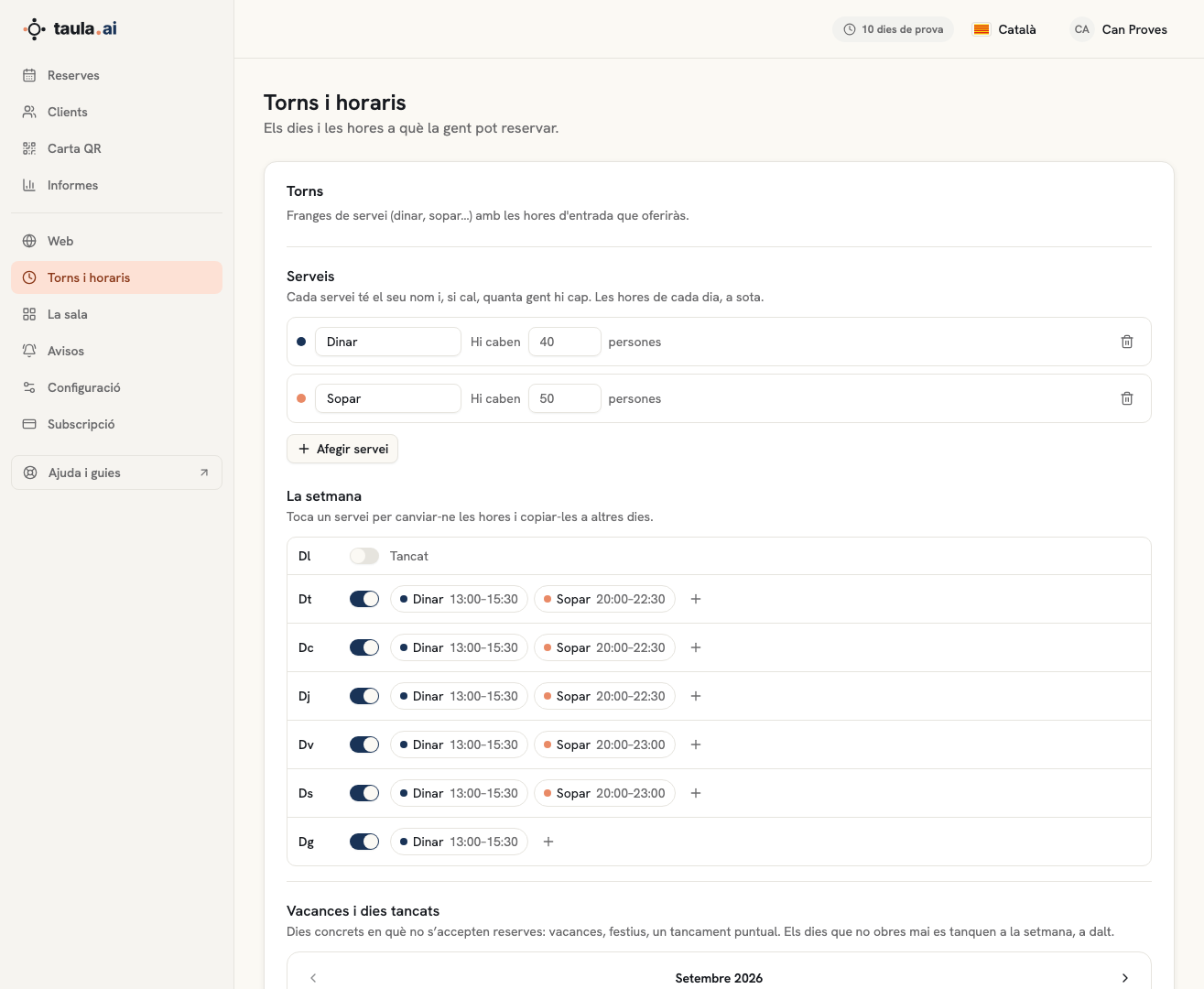
Services
A service is a named time range: Lunch, Dinner, Brunch, Vermouth. The list is at the top, with each one's name and, if your account runs on capacity, how many people fit: once it is full, nobody else can book it.
If you start from scratch, pick a template —Lunch and dinner, Dinners only, Lunches only or All day— and adjust it afterwards. They all leave Monday closed.
The week
Each day has a switch:
- Closed: no bookings that day. This is how you say you don't open on Mondays.
- Open: the day takes the services of the nearest open day, and you change them if needed.
Next to it are that day's services with their times: "Lunch 13:00–15:30". The + adds a service you weren't running that day, or a new one.
Changing a service's times
Tap the service on the day you want. It opens:
- First seating and last seating: the last one is the last time guests can come in, not closing time. If you close at 23:30 and the last seating is at 22:30, enter 22:30.
- Every: how many minutes between booking times (15, 30 or 60).
- Also apply to: the days you want the same times on. Days that already have the same times come ticked; tick or untick and press Done.
Below the times you see exactly what guests will see: "7 booking times: 20:00 · 20:30 …".
Remove from this day removes the service from that day only.
Common cases
Lunch Tuesday to Sunday and dinner Tuesday to Saturday → the Lunch and dinner template and you're done.
Friday and Saturday dinner runs later → tap Friday's dinner, set the last seating to 23:00, also tick Saturday under Also apply to and press Done. It is still the same dinner: the same tab in Bookings and, if you run on capacity, the same number of people.
We close on Tuesdays → switch Tuesday off.
Holidays, bank holidays or a one-off closure → not here but in Holidays and closed days, just below: click the days on the calendar.
Don't forget to Save when you're done.
Watch out
A booking time only appears if there is room: if your account runs on tables, a free table the group fits at; if it runs on capacity, the service and that time must not be full. If you set 21:00 and it doesn't show, it isn't the schedule: it's full.